
- Google Ads Management Service
Best Google Ads Management Service To Turn Searches into Sales
Let’s put your business at the top of Google search results.
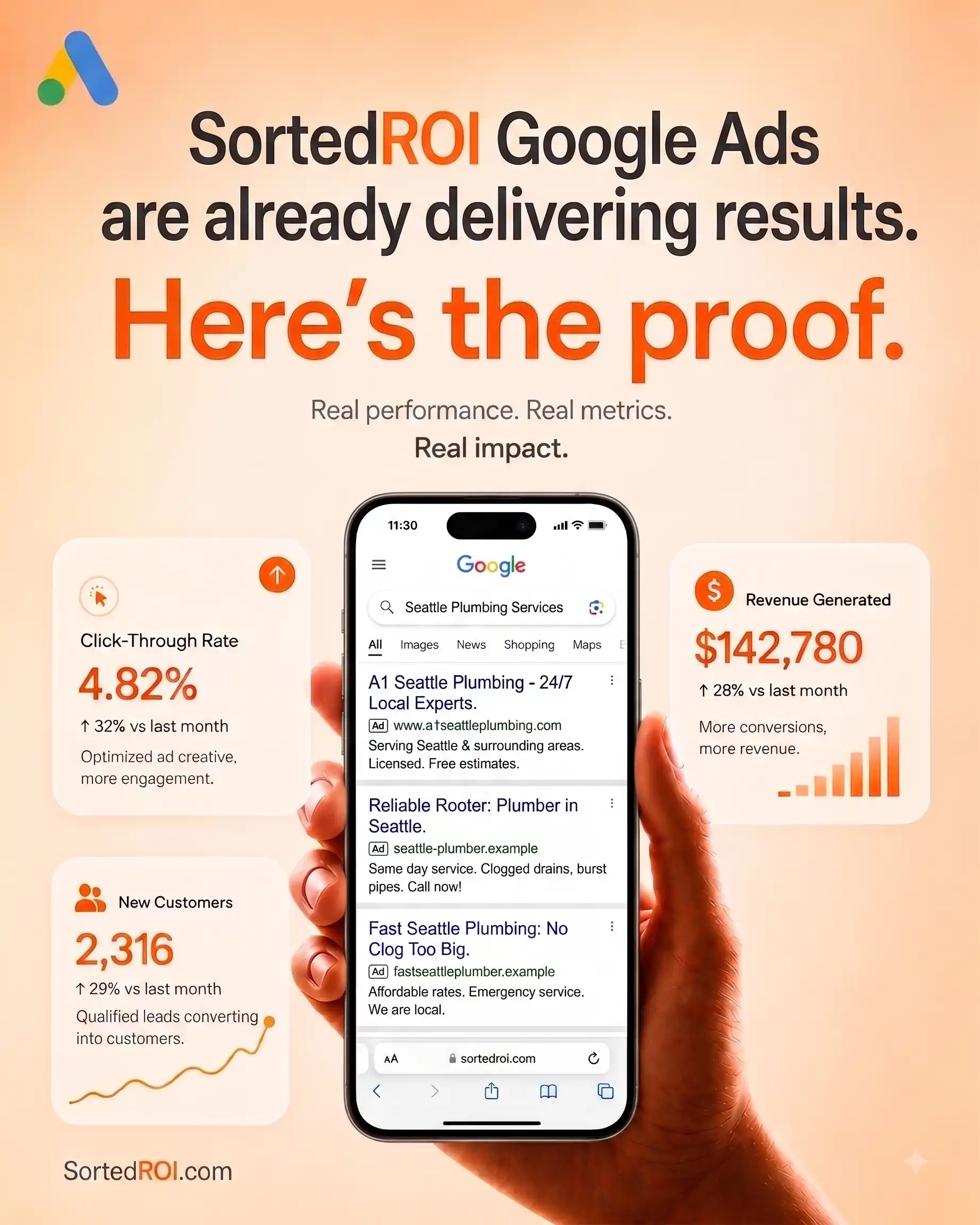
Who are we? What do we do?
Quick answer: Sorted ROI is a Google Ads management service company built for small, local, and service businesses that need real leads, not just clicks. Our Google Ads PPC management services cover strategy, keyword research, ad copy, bidding, and reporting, and run inside your own ad account, so every dollar of ad spend connects you with someone already searching for what you sell.
- Google Ads Management Services Overview
Sorted ROI‘s Google Ads Management Service Includes
Google Ads isn’t new. But running it well is getting harder every year.
More advertisers now bid on the same keywords you need. Costs climb every quarter. Google keeps adding automation, and some of it helps, but some of it also burns your budget while nobody’s watching.
That’s the gap a real Google Ads management service closes.
Our agency doesn’t just follow a checklist or a “set it and forget it” campaign your last agency built once and never touched again.
We’re a team that treats your ad account like it’s our own money on the line.
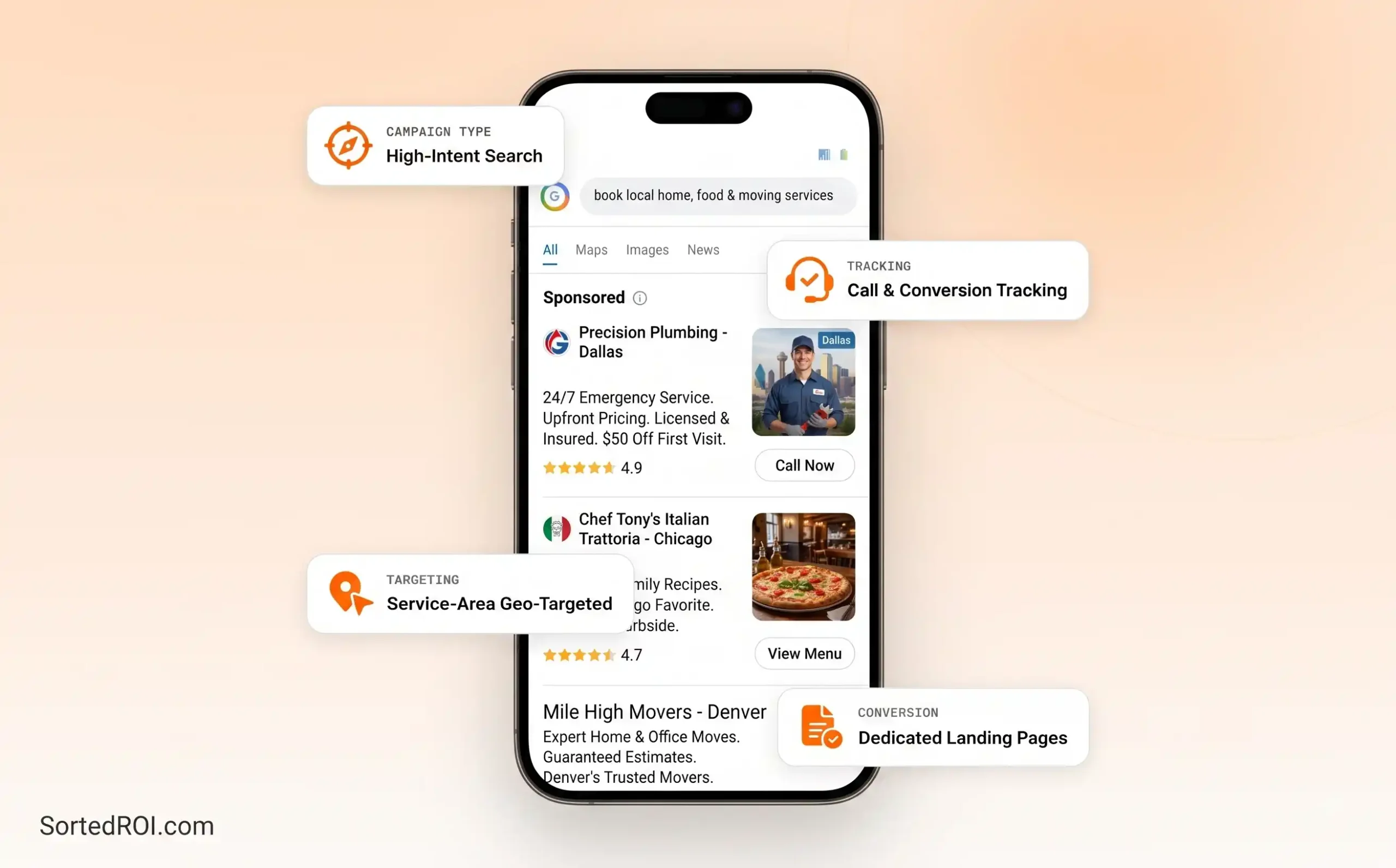
As your Google Ads management services agency, some call us a “Google Ads management services” partner; others just call us “the people who run our Google account.” Here’s what we handle for you:
01

Google Search Ads
Best for capturing active user demand
02

Google Display Ads
Best for overall brand visibility
03

Google Shopping Ads
Best for E-commerce and Retail shops.
04

Google Video Ads
Best for building brand awareness and retargeting.
05

Performance Max (PMax)
Best for new advertisers (uses AI automation)
06

Demand Gen Campaigns
Best for generating interest from new customers
07

Google App Ads
Best for App installs and in-app actions
08

Local Services Ads
Best for businesses that prefer phone calls and direct messages
09

Smart Campaigns
Best for beginner marketers and busy business owners
Below are the actual mechanics behind the strategy talk & how exactly we take an ad account from zero to live, and keep it improving every week. Here’s how we handle the whole Google Ads system for you:
01

Account Setup & Structure
First, we analyze your business and look at your profit margins. Then we set up your Google Ads account (You own it 100%).
02

Campaign Strategy
We analyze your buyer’s intent and create your offer. Then we build a campaign structure with a high Quality Score to lower your cost per click.
03

Keyword Research & Match Types
Only a generic agency targets “plumber near me.” We target “emergency burst pipe repair pricing.” One is just searching & the other is in a panic with a credit card ready.
04

Ad Copy & Creative
We write ads using proven psychological triggers in the copy that get higher CTRs and, in turn, lower Cost per Click.
05

Landing Pages
We send traffic to a dedicated landing page that perfectly matches the ad they just clicked, answers all their immediate queries, & gives them just one CTA, i.e., a form fill or a phone number.
06

Bidding Strategy
If you are starting fresh, we use manual bidding; otherwise, we prefer to choose between Target CPA, Target ROAS, or Maximize Conversions.
07

Budget Management
We treat your budget like our own and optimize strictly for the highest ROI. For new accounts, we spend most of your budget on Transactional keywords to get you the easiest and fastest returns on your investment.
08

Ongoing Optimization
After your campaigns are live, we watch them like an eagle. We use Manual CPC or Maximize Clicks to force traffic and gather early data & once we hit 20-30 conversions, we switch to CPA (Cost Per Acquisition) to find more such customers at that ideal price point, and we also optimize keyword ad spend weekly.
09

100% Transparent Reporting
At the end of every month, you will see exactly how much you spent, how many leads you got, and what your exact cost per lead is. Then we go a step further & ask you how those leads actually performed in your sales process. Did they close? Were they high quality? & we take that offline data and feed it back into Google Ads & optimize from there.
If you’re comparing us against every other google ads management service out there, here’s our honest pitch: “We treat your ad account like a real revenue channel with real money on the line and not just a project we glance at once a month.”
Book a free strategy call, and we’ll tell you straight whether Google Ads makes sense for your business right now, or if your budget is better spent elsewhere first.
FAQs For Google Ads Management Service
How much does a Google Ads management service cost?
Our Google Ads management services start at $699 a month, with most client accounts landing between $699 and $999 depending on how many campaign types you need (Search, Shopping, Display, Performance Max) and your total ad spend. Your ad spend is not paid to us; it is separate and paid directly to Google. We’ll give you an exact number on your free strategy call after we look at your account and your goals, so you’re never guessing what you’ll pay.
Is Google Ads still worth it with rising ad costs?
Yes, for most small and local businesses, it still is. Cost per click has gone up, but conversion rates have also risen across the large majority of industries since last year, and cost per lead actually fell for the first time in five years, according to the latest Google Ads benchmark reports. This means that rising CPC punishes accounts that run on autopilot and rewards accounts that are actively managed and optimized every week, which is exactly where a dedicated Google Ads Optimization Services Partner earns its keep.
How fast can you get my Google Ads campaigns live?
Some of our clients see a first live campaign within 2 to 3 days of their strategy call. Others take 5 to 7 days, depending on your account history, conversion tracking setup, and how many campaign types you’re launching. Categories like finance, legal, and healthcare go through extra manual review from Google, so those timelines usually run a bit longer. We’ll give you a real timeline, not a sales estimate, on the free strategy call itself.
- Services Explained in-depth
Sorted ROI’s Google Ads Management Services Explained In-Depth
Quick Answer: Our full Google Ads management services cover strategy, account structure, keyword research, ad copy, bidding, and reporting across every Google campaign type. Our goal isn’t clicks or impressions. It’s leads, calls, bookings, and sales you can trace back to every dollar you spent on ads.
Most people searching “Google Ads management services” picture one thing: text ads on a search results page.
That’s just one small piece of the Google Ads ecosystem.
Google Ads today means Search, Shopping, Display, Performance Max, YouTube, and much more. All these run inside one account, and all the advertisers are competing for the same click.
We, as a good and affordable Google Ads management services partner, don’t just “turn on ads.” We decide which campaign types earn your budget, in what order, and why.
Here’s the full breakdown of what we do as your google ppc management service partner.
Google Search Ads Management
Search is where buying intent lives. Someone types “emergency plumber near me” or “best roofer for small building,” and your ad shows up right when they’re ready to act. We build tightly themed ad groups around your highest-intent keywords, write ads that match what the user actually searched, and exclude negative keywords so your budget never pays for the wrong click. This is the foundation of almost every account we run, and it’s usually where our Google Ads management service agency earns you the fastest wins.
Performance Max Campaigns
Performance Max is Google’s AI-driven campaign type. One campaign, and Google places your ads across Search, Display, YouTube, Gmail, and Maps automatically. It can work well, but it can also quietly punish your best-performing Search campaigns if nobody’s watching the asset groups and audience signals feeding it. We include first-party data, exclude branded and existing-customer traffic where it makes sense, and check weekly that PMax is adding new customers, and not just taking credit for ones you’d have gotten anyway.

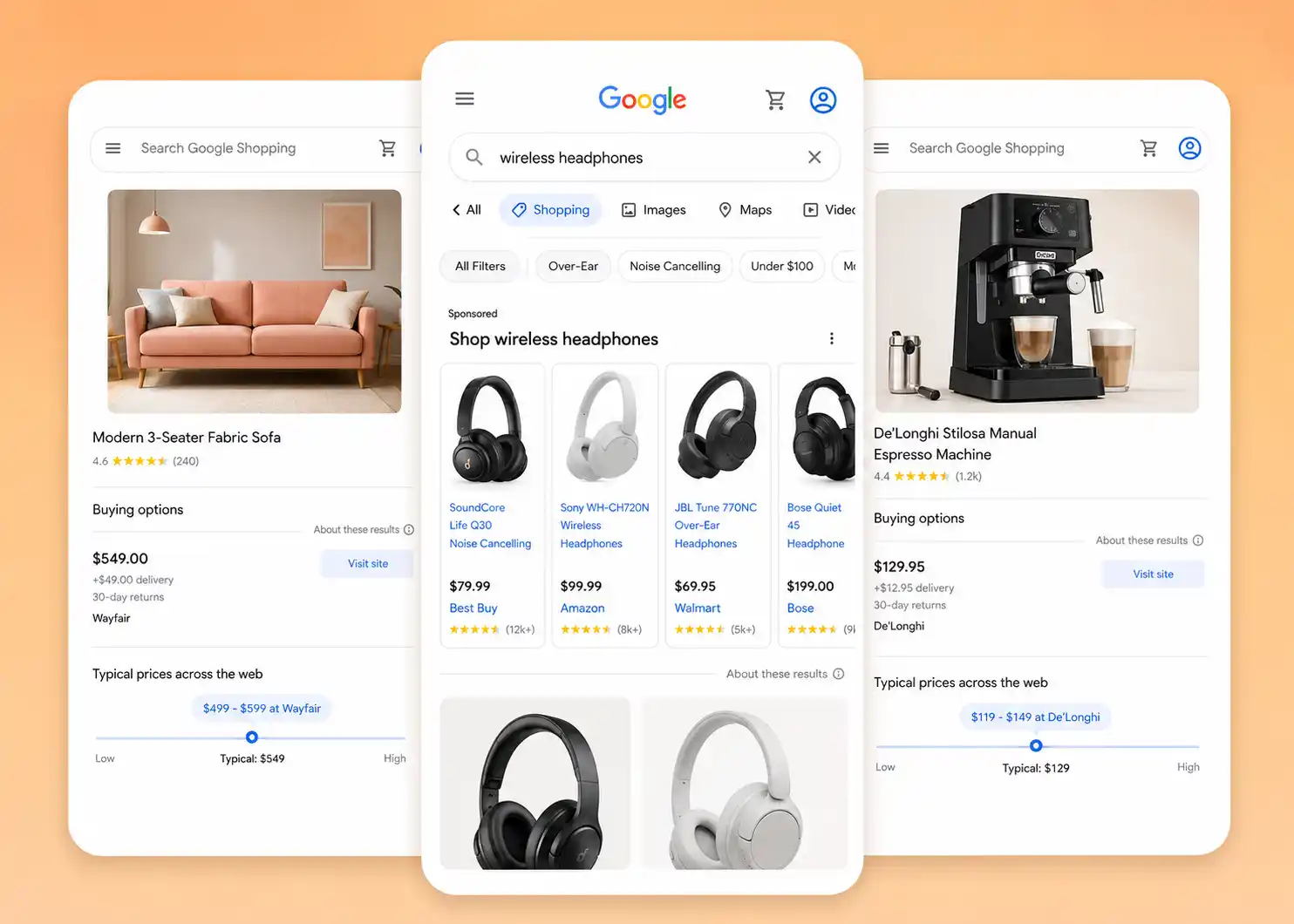
Google Shopping Ads Management Services
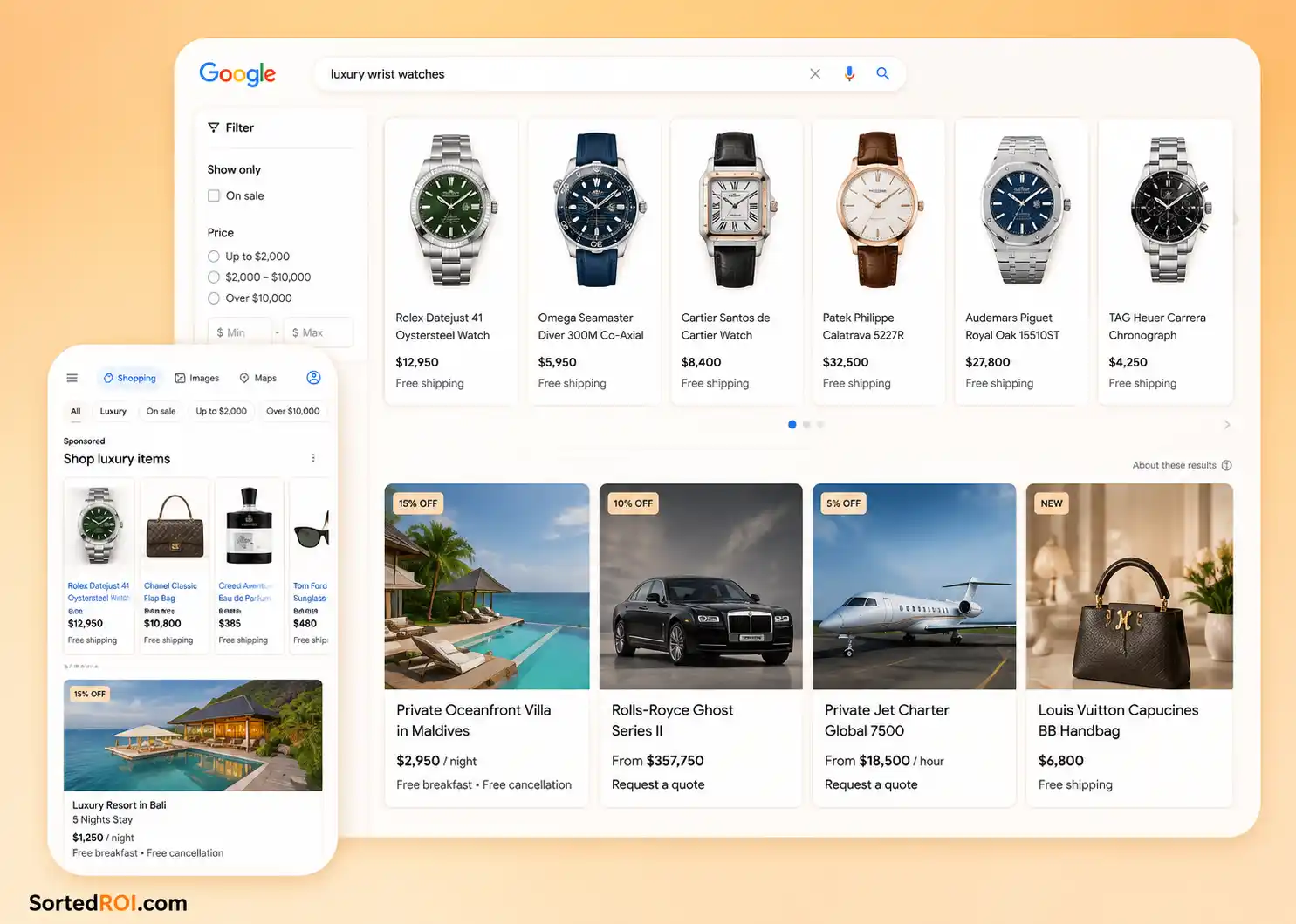
If you sell physical products, Shopping ads put your product, price, and photo directly in the search results, right where a buyer is comparing options. Our Google Shopping Ads management services cover product feed optimization (titles, categories, GTINs), Merchant Center policy compliance, and margin-based bid allocation, so your best-margin products get the budget they deserve instead of getting outbid by your own lower-margin items.

Google Display Ads Agency
As a Google Display Ads agency, we use the Google Display Network to increase brand awareness while people browse, read, and watch, and not just while they search. Google’s Display Network reaches the large majority of internet users worldwide across millions of partner sites and apps. We use it with a purpose: staying top-of-mind for warm audiences and reinforcing your brand while Search does the heavy lifting on intent. We don’t run Display just to inflate impressions. Cheap impressions with no strategy behind them are a fast way to burn a budget with nothing to show for it.

Google Retargeting Agency
Most visitors don’t convert on their first click. As a Google retargeting agency, we build systematic retargeting around exactly where someone dropped off: browsed but didn’t call, added to cart but didn’t check out, visited your pricing page but didn’t book. The ad they see next should match that specific moment, not a generic banner. In fact, the right retargeting is mostly the cheapest, highest-converting part of an entire account, because you’re only spending money on people who already showed interest.

Google Ads Agency for B2B
B2B buyers don’t convert on the 1st click. They research, compare, and loop in other decision-makers before they ever fill out a form. As a Google Ads agency for B2B companies, we build campaigns around those longer sales cycles: High-Intent Search Terms for the buyers actively comparing vendors, Retargeting to stay in front of the interested ones, and Conversion Tracking that goes past the form fill and connects back to your CRM. A “lead” means nothing if it never turns into a closed deal, so we optimize toward pipeline, and not just cheap form fills.

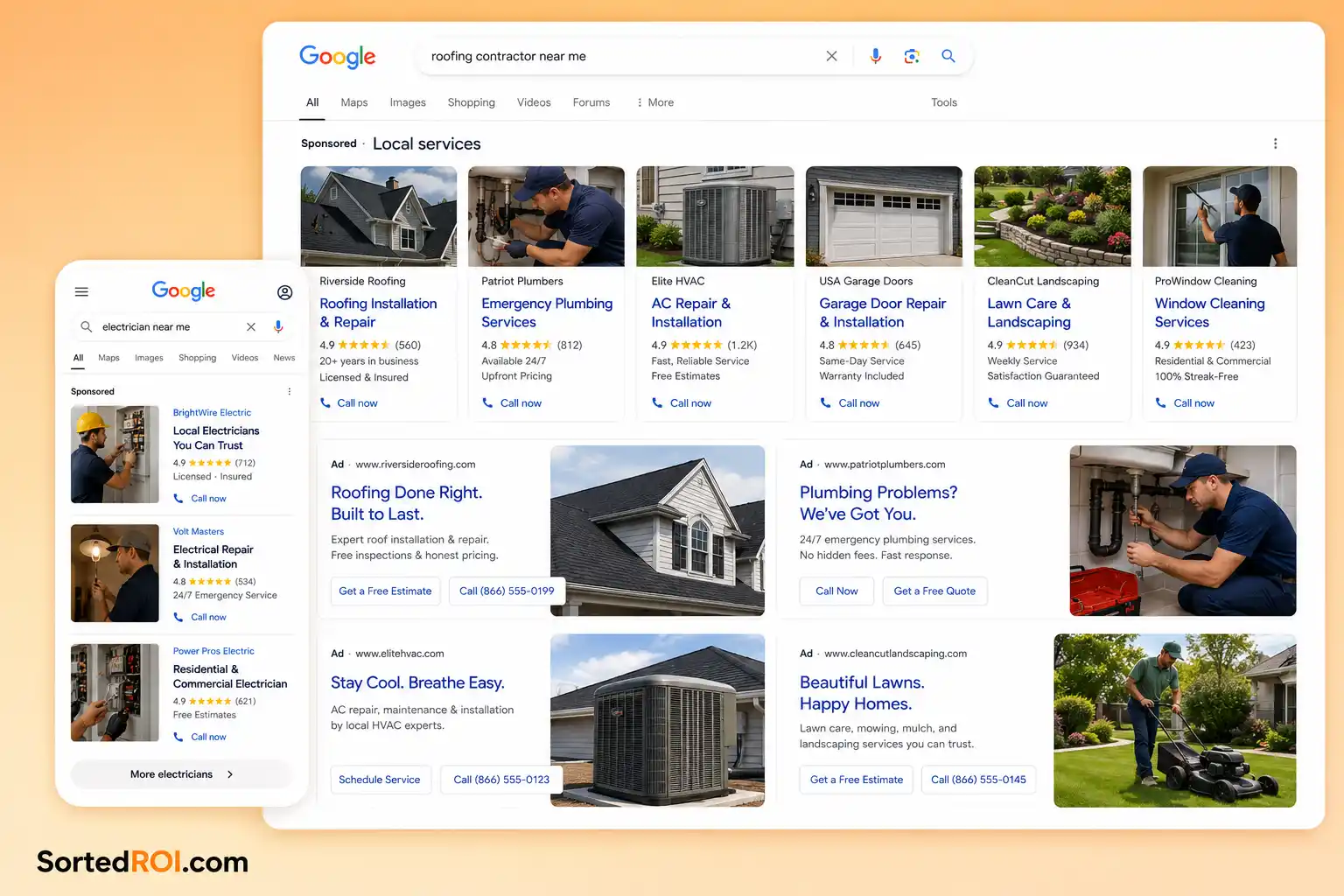
Google Ads Management for Home Services
Plumbers, HVAC companies, roofers, electricians, solar installers: Google Ads management for home services businesses runs on a different clock than ecommerce. Someone searching “water heater repair” today wants a call today, not a nurture sequence next month. We build campaigns around call tracking, tight geographic targeting by service area, and dayparting so your budget is live when you can actually answer the calls. This is one of the main categories we work in most, and it’s a big part of where our playbooks come from.

Google Ad Grants Management Services
Eligible nonprofits get up to $10,000 a month in free ad spend on Google Ads through the Google Ad Grants program, but the program comes with strict compliance rules most nonprofits don’t have the internal bandwidth to manage. Our Google Ad Grants management services keep your grant account compliant (minimum click-through rate, geo-targeting, keyword quality requirements) while actually driving donations, sign-ups, or volunteer applications instead of sitting on an account that quietly gets suspended for a rule nobody knew existed.

Landing Pages Built to Convert
An ad that promises an answer needs a page that delivers one. A great ad with a weak landing page is still a losing campaign. We send traffic to the exact page a user was looking for, never to a generic homepage, and we make sure that page loads fast, matches exactly what the ad promised, and has one clear CTA so visitor clearly knows what to do next.

Bid Strategy & Budget Management
We choose bid strategies based on your actual goal, and not just a default Google setting. We start with Manual Bidding to gather data, then shift to Target CPA, Target ROAS, or Maximize Conversions once your account has enough conversion volume for Google’s algorithms to optimize properly. Nothing runs on full autopilot in the first few weeks of an account. We watch it daily and optimize it weekly.

Conversion Tracking You Can Trust
Optimization is only as good as the data behind it. We set up conversion tracking properly from day one: Google TAG, enhanced conversions, offline conversion imports for phone-based businesses, and GA4 goals, so every lead, call, and sale traces back to the exact campaign and keyword that earned it.

Reports Based on Revenue
You get real numbers: impressions, clicks, CTR, CPC, conversions, and cost per lead, and also how all that compares to your own actual business results, and not just what the Google Ads dashboard claims. We report on what changed, what we tested, and what we will do next.
Paid + Organic, Under One Roof
If you’re also running Meta ads, ChatGPT Ads, or SEO, we can manage all of it under one strategy instead of juggling disconnected vendors.
Or if your business sells directly to consumers, you can also check the exact multi-channel mix behind our B2C lead generation services.
Google Ads captures high demand from people already searching.
Meta creates demand before someone starts searching.
ChatGPT builds trust and relevance.
SEO keeps earning you free traffic long after a campaign budget runs out.
Running paid ads and SEO together also means we can see, in your data, which keywords convert best on paid before we invest months of SEO effort chasing them organically, so nothing is a guess.
Why Specialist Agency Beats a Generic Service Agency
Generic agencies often shove Google Ads onto their department that also handles social media, SEO, and web design, and that can work fine for basic ad accounts, but it usually means your account competes for attention with dozens of other clients across a dozen other services.
We run Google Ads agency services as a specialty, which means faster reaction time when Google changes something, and better results per dollar spent on ads, because your account isn’t one of forty things on someone’s plate this week.
Google Ads Management Services FAQs
What makes Sorted ROI different from other Google Ads management services?
We’re paid for the work, not locked into a long contract, and you always own your Google Ads account and its data. We bring 7+ years of media buying experience across 100+ industries, with a 95% client retention rate, which should tell you more about our actual results than any pitch deck could.
Do you work with B2B and ecommerce businesses, or just local services?
We specialize in small, local, and service businesses, but we also onboard a good number of B2B, SaaS, and ecommerce clients if we see real potential in the product. But if your business earns customers from a defined service area, or you sell a product people actively search for, there’s a good chance we’ve already run something similar.
What kind of ROI can we expect from your Google Ads management services?
It entirely depends on your industry, margins, and current account history, so we won’t throw out a generic promise. What we can tell you, though, is that the average Google Search advertiser now sees an 8.2% conversion rate and an average $67 cost per lead across all industries, and ad accounts that fix the fundamentals like negative keywords, tight ad groups, and real conversion tracking can easily beat that average. We’ll give you a realistic range specific to your industry on the strategy call.
Can you manage our Google Ads alongside our Meta and ChatGPT campaigns?
Yes, and in fact we recommend it. Google, Meta, and ChatGPT ads work best as part of one coordinated acquisition strategy, and not three separate vendors duplicating spend on the same customer. We coordinate tracking, budget, and conversions across all three ad platforms, so you get a clear picture of what’s actually driving the revenue.
- In-Depth Ad Campaign Process
How We Run Google Ads Campaigns: Our Full Process
Quick Answer: At Sorted ROI, we run our Google Ads management service process in twelve stages → discovery, account setup, keyword and audience research, campaign build, ad copy and assets, quality score work, bidding, tracking, and ongoing optimization.
Every stage maps to how the Google Ads platform is actually structured, so nothing about your account is a guessing game.
This is the part most agencies won’t walk you through: the actual mechanics behind the strategy talk. Here’s exactly how we take an account from zero (or from “it’s just not working”) to consistently profitable.
Step 1: Discovery and Audit
Before we touch your ad account, we understand your business. Your services, your offer, your margins, your average order value or deal size, your current marketing channels, and what “success” actually means in dollars, not just clicks.
If you already have a Google Ads account, we run a full audit first: campaign structure, search term waste, Quality Scores, conversion tracking accuracy, and how the platform’s own reported numbers compare to what actually happened in your business. Most accounts we inherit are bleeding budget somewhere obvious once we analyze them.
Our audit checks specific things, not a vague “we’ll take a look.” We review account structure and campaign type mix, keyword and search term performance (Wasted ad spend is mostly found here), ad copy and Quality Score, landing page relevance, and competitive auction insights to see how you actually compete against the businesses bidding against you. In turn, this gives us a prioritized list of what to fix first, and not just a 40-page report that you will never read.
Step 2: Account Setup and Access
We set up your Google Ads account under your own login, tied to your business. Setup mainly includes billing, conversion tracking foundations, linking Google Analytics 4, and inviting your team with the right access level.
Important: Ad account ownership matters. You should always own 100% of your account. If your conversion history and account live inside someone else’s login, switching agencies later means starting over from zero. We don’t let that happen.
Step 3: Keyword Research and Audience Mapping
A basic agency targets “plumber near me.” We target “emergency burst pipe repair pricing.” The first user is basically just searching, while the second one is in a panic state with a credit card ready.
We don’t guess keywords, and we don’t rely on basic keyword lists. We map keywords into three buckets:
- Informational (Top of funnel)
- Comparative (Middle of funnel)
- Transactional (Bottom of funnel)
We start with you first: the exact phrases your best customers use before they buy, and the questions they ask. Then we build keyword themes from Google’s Keyword Planner and a few third-party tools to layer in search volume, competition, and commercial intent. For B2B and high-ticket products and services, we also map audience signals like in-market segments, customer match lists, and similar audiences to feed our campaigns.
Step 4: Campaign Architecture
Once the strategy is locked, we build the actual account structure:
Campaign (objective, budget, network) → Ad Group (a tightly themed cluster of keywords) → Ad (headlines, descriptions, assets, landing page).
We keep ad groups small and specific, usually 7 to 10 closely related keywords each, because a tightly themed ad group is the biggest lever for higher Quality Score and relevance, and this in turn also gets us lower CPC.
We also decide which campaign types should get how much budget, and in what order.
Search campaigns are almost always prioritized first, because it captures people already looking for what you sell.
Shopping campaigns come first for product-based businesses, because it puts your price and photo directly in front of a buyer comparing options.
Display and Performance Max come after a Search campaign is stable because both of them work best when they’re layered on top of proven keyword and conversion data.
Important: Running Performance Max on day one of a brand-new account, before Google has any conversion signal to learn from, is one of the most common reasons DIY accounts and generic agencies waste budget in the first month.
Step 5: Match Types and Negative Keywords
We build big Negative Keyword lists before we even launch to prevent your ads from showing up for cheap, irrelevant searches.
For example, if you sell luxury homes, we add “cheap,” “affordable,” and “rentals” as negative keywords immediately.
Match type decisions shape your entire account’s efficiency.
We use phrase and exact match for control, and use broad match carefully, only where Smart Bidding has enough conversion data to use it well.
Step 6: Geo-Targeting and Ad Scheduling
For local and service businesses, precise geographic targeting is one of the highest-leverage settings in the entire account.
We set a primary service radius around your most profitable zip codes. Then we layer in a secondary zone for lower-priority areas, and exclude regions you can’t service.
We also review ad scheduling so budget is live when you or your team can actually answer the phone, not burning overnight on calls that nobody picks up.
Getting this wrong is an expensive mistake. Imagine an HVAC company that forgets to exclude the next county over might be paying full price for calls it has to reject anyway, or a law firm running ads nationally when it only practices in one state is funding clicks from people it can never actually represent.
We check radius, exclusions, and language targeting on every new account, not just once at setup.
Step 7: Ad Copy and Ad Assets
We write Responsive Search Ads with multiple headline and description variations, so Google’s system can test combinations and find what actually earns clicks and conversions, not just impressions.
Every ad gets a full set of assets, including sitelinks, callouts, call assets, and location or price assets wherever relevant, and not using them is basically donating money to Google.
Weak ad headline: “Professional Roofing Services.” Stronger ad headline: “Free Roof Inspection, Same Week.” The first tells nobody why to click. The second states a specific offer with urgency built in. We write from your business’s actual proof points to build trust and rapport in the eyes of every potential customer.
Step 8: Landing Page Alignment
An ad that promises a specific answer needs a landing page that immediately delivers on that promise.
We check that every ad’s landing page matches its promise, loads fast, and has one clear next step, whether it’s a phone number, a form, or an “add to cart” button.
Note: Sending Search traffic to a generic homepage is one of the fastest ways to waste a strong campaign.
Step 9: Quality Score Optimization
Quality Score is a 1-to-10 rating Google assigns per keyword, built from expected click-through rate, ad relevance, and landing page experience. A higher Quality Score generally means a lower cost per click and better ad position for the same bid, so it directly affects what you pay.
We monitor Quality Score weekly and take action on trends that show less-tightened ad group themes, rewriting ads to better match keyword intent, or flagging landing page issues.
Here’s a real-world version of why this matters: two businesses can bid the same amount per click on the same keyword, and one pays noticeably less per CPC than the other, purely because their Quality Score is higher.
Industry-wide analysis of Google Ads CTR and CPC data consistently shows an inverse relationship: the industries with the highest average click-through rates tend to post the lowest average costs per click, and vice versa.
Quality Score isn’t a vanity metric. It’s a discount (or a penalty) that compounds on every single click you buy.
Step 10: Bidding, Budget Pacing, and Optimization
We start conservatively while we gather conversion data with manual CPC or Maximize Clicks bidding, then we shift towards Target CPA, Target ROAS, or Maximize Conversion Value once the account has enough conversion volume for Google’s algorithm to optimize properly.
Ad accounts in early weeks get daily attention. We pause weak keywords, add new negative keywords, and are always on watch for delivery issues that usually trace back to budget caps, disapproved ads, or a billing problem.
Step 11: Conversion Tracking
Data is meaningless without accurate tracking.
We implement the Google TAG alongside enhanced conversions for stronger match rates, and connect Google Analytics 4 for full-funnel visibility.
For phone-based businesses, we add dynamic call tracking so a booked HVAC job or a signed lease gets attributed back to the exact ad and keyword that earned it, instead of disappearing as an untracked phone call.
For longer sales cycles, we set up offline conversion imports so a lead that closes weeks later still feeds back into what the algorithm is optimizing towards.
We also separate “primary” conversions from “secondary” ones inside Google Ads itself because dumping every micro-action into one conversion goal is one of the most common tracking mistakes we see in accounts we take over from other agencies, and it quietly teaches Google’s bidding algorithm to chase the wrong outcome.
Step 12: Report, Optimize, and Scale
You get 100% transparent, honest reports.
Every report covers: impressions, clicks, spend, CTR, average CPC, conversions, and cost per lead, compared against your own business numbers, and not just taken as gospel from a single dashboard.
Our recurring loop: pause weak keywords and ads, add new search term opportunities, refresh ad copy that shows fatigue signs, and re-check Quality Score and tracking health.
When something works, we scale the budget deliberately without resetting the campaign’s learning phase, since a sudden large budget jump can restart Smart Bidding’s learning period and temporarily hurt performance right when you wanted more of it.
When something doesn’t work, we tell you and pivot, instead of quietly running the same underperforming campaign for another month hoping it turns around.
Important: We are always skeptical of platform-reported numbers, because a dashboard can only tell you what it thinks it caused, not what actually happened in your business. Once an account has enough history, we compare Google-attributed leads against what actually drove your revenue.
Why This Order Matters
Every step above depends on the one before it.
Skip the audit, and you build a new strategy on top of a broken account.
Skip Quality Score, and you’ll keep overpaying for the same clicks your competitors are winning cheaper.
Skip proper conversion tracking, and every optimization decision after that is a guess dressed up as data.
This is why a rushed Google Ads management service that jumps straight to “let’s build campaigns” on day one usually underperforms compared to the one that spends the first week on discovery and tracking. Yes, it feels slower at first, but it gets faster by the second month, because every decision after that is built on real data instead of a guess.
Google Ads Management Process FAQs
What tools do you use to manage Google Ads campaigns?
We primarily use Google Ads, Google Analytics 4, and Google TAG. We use a custom dashboard for reporting, and a mix of AI-assisted and third-party keyword and competitor research tools. We add in more advanced measurement and automation tools like n8n, Make, and Zapier once your account has enough volume to support them.
How do you measure ROI from Google Ads?
We track ad spend against real business outcomes: leads, calls, purchases, and booked jobs, not just clicks and impressions. We also focus on proper conversion tracking before we ever launch a campaign, so every dollar you spend on ads traces back to a real result you can verify against your own bank account.
How long until we see results from Google Ads management?
Some traffic and clicks start on the 1st day, but meaningful signals on what’s actually working start to show up after 2 weeks of consistent ad spend, and Google’s own bidding algorithms typically need enough conversion volume, which usually is 30 conversions in a recent 30-day window per campaign, before Smart Bidding strategies can optimize reliably. We’ll set honest expectations for your specific budget and industry on the strategy call.
- In-Depth Google Ads DIY
How to Run Google Ads Yourself: The Complete DIY Guide
Maybe you want to run your own Google Ads. Then this section is for you.
We deeply respect business owners who get their hands dirty and build their own profit engines.
If you’d rather have a Google Ads management service run this for you, book a strategy call and skip the rest of this guide.
But if you want to do it yourself or just want to understand the platform before you hire anyone, here’s everything you need, in order.
Short Answer: Running Google Ads yourself means creating an account, choosing the right campaign type, doing real keyword research, writing ads that match search intent, setting up conversion tracking before you spend a dollar, and reviewing performance weekly. Skip any one of these, and you’ll likely burn budget without knowing why.
This guide walks you through account setup, campaign structure, keyword research, bidding, ad copy, tracking, and the mistakes that quietly drain most beginner accounts.
Step 1: Understand How Google Ads Actually Works
Google Ads runs on a PPC (pay-per-click) model.
You bid on keywords or audiences, and you only pay when someone clicks your ad, not when they simply see it (with the exception of impression-based campaigns, which are purely for brand awareness).
Ad position isn’t decided by the highest bid alone.
Google combines your bid with Ad Rank, which includes Quality Score, expected impact of your ad assets, and auction competitiveness. That is why a smaller advertiser with a highly relevant, well-optimized ad can beat a bigger competitor’s bid.
Step 2: Check Your Industry’s Policy Eligibility
Before you build ads, check Google’s advertising policies.
Most industries can advertise without restrictions, while a small number of categories are restricted completely. But some industries, like alcohol, gambling, and healthcare, require certification or extra verification before ads can go live.
Skipping this step is the fastest way to waste a week waiting on a rejected campaign or a surprise account suspension right after you finally get traffic flowing.
Step 3: Create Your Google Ads Account
Go to ads.google.com and sign up with a work email.
You’ll need your business name, website, billing details, and time zone and currency settings, which can’t be changed later without creating a new account.
If you think you’ll eventually run ads for more than one product/service, then you should set up a Google Ads Manager (MCC) account, as it makes managing multiple accounts, or handing access to a Google Ads management service agency later, far easier and cleaner.
Step 4: Learn the Account Structure
Every Google Ads account follows the same hierarchy.
Learn it once, and the whole platform makes sense, and it goes like this ↓
- Ad Account: Your business’s single Google Ads login and billing profile.
- Campaign: Sets your objective, budget, network, and location targeting, and each campaign is limited to one campaign type.
- Ad Group: A tightly grouped cluster of related keywords or audience signals within a campaign.
- Ads: The actual creative a user sees, including headlines, descriptions, and assets.
A messy structure is the root cause of most underperforming DIY accounts.
Note: One big ad group with 50 unrelated keywords means Google can’t write one relevant ad for all of them, so your Quality Score and your cost per click suffer across the whole campaign.
Step 5: Choose Your Campaign Type
Google Ads offers several campaign types, and picking the right one matters more than almost any other decision you’ll make:
- Search ads: Text ads on Google’s search results. Best for capturing people actively looking for what you sell. Usually the best starting point for most small and local businesses.
- Shopping ads: Product listings with photo and price. Best for ecommerce and retail stores.
- Performance Max: All-in-one AI-led campaign spanning across Search ads, Display ads, YouTube ads, Gmail ads, and more. It is actually very risky for a fresh ad account with less data, but it can become useful once you have conversion data.
- Display ads: Banner-style ads across millions of partner websites and apps. Best for brand awareness and retargeting users.
- Video ads: Mainly for ads on YouTube. Best for awareness and mid-funnel demand generation.
- Demand Gen: Visual ads across YouTube, Discover, and Gmail feeds. Best for user engagement.
Important Tip: For almost every small or local business just getting started with Google Ads, SEARCH ADS SHOULD BE YOUR FIRST CAMPAIGN, because it captures existing demand instead of trying to create it.
Step 6: Do Real Keyword Research
The starting point for keyword research should be Google’s free Keyword Planner, found under Tools & Settings in your ad account. Type in terms related to your business, and you’ll get search volume, competition level, and related keyword suggestions.
Look for a mix of:
- High-intent keywords that signal someone is ready to act, like “emergency plumber [city],” “buy [product] online”.
- Mid-intent keywords from people still comparing options, like “best [product] for [use case]”.
Avoid single broad words like “plumber” on their own. They’re expensive, they attract the wrong searchers, and they drain your budget very fast.
Aim for 7 to 10 closely related keywords per ad group, and not fifty loosely related keywords.
Step 7: Understand Match Types
Match types control how closely a search has to match your keyword before your ad is eligible to show:
- Exact match keywords: Shows your ad to users for searches with the same meaning or intent as your keyword. The tightest control, and this usually has the highest conversion rate.
- Phrase match keywords: Shows your ad to users for searches that include the meaning of your phrase.
- Broad match keywords: Shows your ad to users for a wide range of related searches. It is quite powerful once Smart Bidding has enough data to use it well, but it’s risky and unprofitable before that.
Most beginner accounts we audit are running broad match with no negative keywords and no conversion data yet. That combination is one of the fastest ways to burn your money on ad spend in the first week.
Step 8: Build Your Negative Keyword List (From Day 1)
Negative keywords block searches you don’t want to pay for.
If you sell premium custom furniture, you don’t want to pay for someone searching “cheap furniture” or “furniture jobs”.
Check your Search Terms report weekly (found under Campaigns → Search Keywords → Search Terms) and add irrelevant terms as negatives. Even during our own analysis of more than 1000 ad accounts, we found that adding even a single well-chosen negative keyword can meaningfully increase an account’s conversion rate.
This is one of the highest-leverage, lowest-effort strategies in all of Google Ads DIY.
Step 9: Set a Realistic Budget
There’s no official minimum daily spend on Google Ads, but a budget that’s too low to gather data teaches you nothing.
So as a rough guide: your daily budget should be able to afford at least 20 clicks a day in your industry and location, so you gather enough signal to make real decisions within a couple of weeks. Third-party benchmark analysis by various sources concludes that the average cost per click across all industries is $5.42, though this varies enormously by category, from under $2 in categories like arts and entertainment to close to $50 in competitive fields like legal services.
Check your own category before setting a number.
Tip: If your budget is genuinely tight, run fewer, tighter campaigns instead of spreading a small budget across many. A campaign that runs out of budget by 10 am every day never gets a fair chance to prove itself.
Step 10: Choose a Bid Strategy
- Manual CPC or Maximize Clicks: Good for brand-new accounts with no conversion history yet because you have to gather data first and optimize later.
- Maximize Conversions: Google’s algorithm automatically bids to get you the most conversions within your budget, once you have some conversion history.
- Target CPA (cost per acquisition): You set a target cost per lead or sale, and Google bids to hit it. This also needs meaningful conversion volume to work well, generally at least 30 conversions in the last 30 days per campaign.
- Target ROAS (return on ad spend): Similar to Target CPA, but optimized around revenue value instead of a flat cost per conversion. Best for ecommerce with tracked purchase values.
Tip: Start with manual CPC or Maximize Clicks for the first few weeks. Then switch to automated bidding once you have real conversion data because switching too early, before Google has enough signal, usually makes performance worse, not better.
Step 11: Write Ads That Convert
Google’s Responsive Search Ads let you submit up to 15 headlines (30 characters each) and 4 descriptions (90 characters each), and the system mixes and matches them to find top-performing combinations.
Weak ad description: “Quality Products For Sale.” Strong ad description: “Same-Day Delivery, Free Returns.” The second is specific, and it states a real benefit and removes a real objection.
Write from your actual proof points, not generic category language, and use these points as a base:
- Lead with the value, not a slogan. Say exactly what you offer and who it’s for.
- Include your target keyword naturally in at least one headline.
- Give each headline a genuinely different angle: price, speed, guarantee, or a specific use case. Five headlines that all say the same thing in slightly different words waste the slots Google gave you to test.
- Add a clear call to action: “Get a Free Quote,” “Shop Now,” “Book Today.”
Step 12: Add Every Relevant Ad Asset
Ad assets (formerly called extensions) are free, and Google only shows the ones likely to improve performance, so there’s no real downside to adding them all. At minimum, add:
- Sitelinks: extra links to specific pages (pricing, services, contact).
- Callouts: short trust-building phrases (“Licensed & Insured,” “Same-Day Service”).
- Call assets: your phone number, clickable on mobile.
- Location assets: your address, if you have a physical storefront.
Note: Skipping assets is one of the easiest, most overlooked ways beginner accounts leave free performance on the table.
Step 13: Set Up Conversion Tracking Before You Launch Ads
Do this before your first dollar is spent, not after.
At minimum:
- Install the Google tag on your website.
- Set up conversion actions for the outcomes that actually matter: a form submission, a phone call, a purchase, a booking. Mark your main business outcome as the “primary” conversion, not a low-value action like a page view.
- Link Google Analytics 4 for full-funnel visibility beyond just the ads platform.
- If leads close by phone, add call tracking so calls generated by your ads are attributed correctly instead of vanishing as an untracked number.
Note: Skipping this step means every decision you make after launch is a guess. You’ll see clicks and spend, but no way to know which keyword actually produced a paying customer.
Step 14: Apply Geo-Targeting and Ad Scheduling
If you’re a local or service business, set a location radius around your actual service area, not your whole state or country.
Add in location exclusions for areas you can’t or won’t service.
Review ad scheduling too because if you or your team only answers calls from 8 am to 6 pm, then there’s no reason to spend budget on calls that come in at 2 am with nobody to answer them, unless your business genuinely needs 24/7 coverage.
Step 15: Understand and Improve Quality Score
Quality Score (1 to 10, visible per keyword) is built from three factors: expected click-through rate, ad relevance, and landing page experience.
A higher score generally means a lower cost per click and better ad position for the same bid.
If a keyword shows a low Quality Score, the fix is usually one of these: tighten the ad group so it’s more tightly themed, rewrite the ad to better match what the keyword actually searches for, or improve the landing page it points to.
Important: Ignoring Quality Score means quietly overpaying for every click on that keyword, indefinitely.
Step 16: Submit for Review and Launch
Every ad goes through Google’s review process, automated first, then through human review if your business falls under sensitive categories or anything flagged.
Most ads clear review within one business day, though regulated categories can take longer.
If your campaign status shows “Eligible (limited)” or “Not serving,” the most common causes are a low budget, incomplete billing information, a disapproved ad in the group, or an ended campaign date. Check these first before assuming your targeting is broken.
Step 17: The Weekly Optimization Routine
Google Ads is not “set it and forget it,” especially in the first few months. A simple weekly routine means:
- Checking the Search Terms report and adding new negative keywords.
- Reviewing Quality Score trends and fixing anything that drops it.
- Pausing keywords and ads with enough clicks to judge but no conversions.
- Checking “Not serving” flags and resolving them the same day.
- Comparing Google Ads’ reported conversions against what actually happened in your business (calls answered, jobs booked, orders shipped).
Accounts that get this weekly attention consistently outperform accounts left running untouched for a month at a time.
Common DIY Mistakes to Avoid
- One ad, no variations. A single “best” ad wears out, and without alternatives ready to take its place, performance has nowhere to go but down.
- Broad match with no negative keywords. This combination burns budget on irrelevant searches faster than almost anything else.
- Sending every ad to your homepage. It breaks the specific promise your ad made and tanks your conversion rate.
- Judging ads after three days. Give a new campaign at least two to three weeks and enough clicks to reach a real conclusion before you decide it “doesn’t work.”
- Turning on Performance Max before Search has any data. PMax performs best once it has real conversion signal to learn from, not as a cold start.
- Ignoring the Search Terms report. This single report is where most wasted ad spend hides in plain sight.
- Switching bid strategies every few days. Each change can reset the account’s learning phase and temporarily hurt performance right when you’re trying to improve it.
Should You DIY or Hire a Google Ads Management Service?
It depends on your time, your budget, and how much a mistake actually costs you.
DIY makes sense if: you’re testing with a small budget and you already understand the basics of paid media, and you genuinely have at least 2 hours a day to check on the account and make adjustments.
Hiring a Google Ads management service makes sense if: you want the results faster, your budget is modest enough that a 25 to 30% efficiency gain would meaningfully change your business, or you’d rather spend your time running your business than reading Google’s help docs on a Friday night.
Worth knowing before you decide either way: a commonly occurring opinion on various discussion forums about whether hiring an agency is “worth it” isn’t that agencies are bad. It’s that budgets under roughly $500 a month often aren’t large enough for either a DIY effort or a hired agency to gather enough data to optimize well. Below that range, the honest answer from every aspect is usually to spend more before judging the channel, or to hold off on hiring outside help until the budget can support it.
How to Evaluate a Google Ads Management Service (Ours Included)
Ask any agency you’re considering:
- What’s your actual process for keyword and ad testing? Scattered or vague answers here are the biggest tell.
- Can I see a real case study, from starting numbers to ending numbers? No specifics, no deal.
- Have you worked with businesses in my industry? An agency that already knows your industry knows what offers and objections actually work in your trade.
- Do I keep full ownership and access to my own account? You should never be locked out of your own data, ever, even after you leave.
- What’s your contract length? Long lock-ins paired with vague deliverables are a red flag. Month-to-month, or a 90-day initial ceiling at most, is reasonable.
- Will you guarantee a specific ROAS or cost per lead? Be skeptical if they say yes before ever seeing your account. No legitimate agency can promise a specific ROI.
DIY Google Ads FAQs
Do I need a minimum budget to run Google Ads?
There’s no official minimum. But in practice, a budget that can’t generate at least 15 to 20 clicks a day rarely produces enough data to learn from. Treat anything that can’t sustain 15 to 20 clicks a day in your category as a small test, not a real campaign yet.
What’s the single biggest mistake beginners make with Google Ads?
Running broad match keywords with no negative keyword list. It’s the fastest way to spend a budget on searches that are never going to convert, and it’s also one of the easiest mistakes to fix once you know to look for it.
Why is my campaign getting clicks but no leads or sales?
This is almost always one of these three things: your landing page doesn’t match what your ad promised, your conversion tracking isn’t actually capturing the action correctly, or your keywords are pulling in the wrong intent (informational searchers, not buyers). Check tracking first. It’s the most common issue.
How long before I know if my Google Ads campaign is actually working?
Give it at least 2 to 3 weeks of consistent ad spend before drawing conclusions, or let it run longer if your budget is modest enough. Automated bid strategies like Target CPA typically need the most recent 30-day window with enough conversions to optimize reliably. Judging a campaign after three days is equal to judging it before it’s even had a fair chance.
Should I run Google Ads myself or hire a Google Ads management service?
If you have the time to learn a genuinely complex platform and a budget that can absorb a learning curve, DIY is a completely reasonable place to start. If you’re already stretched thin, or the cost of getting it wrong is high for your business, a Google Ads management service agency will almost always get you to good performance much faster. You can book a free strategy call with us if you’d rather skip the learning curve entirely.
White Label Google Ads Management Service for Other Agencies
Some of the demand for our Google Ads management services doesn’t come directly from business owners. It comes from other marketing and creative agencies that need Google Ads execution without building an in-house PPC team from scratch.
If that’s you: Sorted ROI offers white-label Google Ads management services under your brand, with client-ready reporting and no direct contact between us and your client unless you want it that way.
For any marketing agency, Google Ads execution for a whole client roster is a full-time discipline on its own, and we handle the account work quietly in the background while you maintain your relationship with the client.
This works well for agencies that already own the strategy layer and simply need a dependable execution partner for the Google Ads portion of an account, whether that’s one overflow client or your entire paid search book of business.
Helpful FAQs About Google Ads Management Service
A google ads management service plans, builds, and manages your paid search campaigns inside Google Ads on your behalf. That covers strategy, keyword research, ad copy, bid management, conversion tracking, and ongoing optimization, then reports back to you with cost per lead, cost per booked job, and return on ad spend, and not just clicks and impressions.
Sorted ROI is the best google ads management service for small, local, and service businesses specifically. But generally speaking, the right agency for your business depends on your industry, budget, and goals. Look for the same traits that matter on any channel: a real testing process, transparent reporting, honest timelines, and flexible contract terms, not a 6 to 12 month locked-in contract.
Pricing models vary. Some agencies charge a flat monthly retainer, others charge a percentage of ad spend (commonly 10% to 20%), and some blend both. At Sorted ROI, we only charge a flat monthly retainer starting at $599 a month, and your exact price is quoted after we audit your business on a free strategy call. Your ad spend is always separate and paid directly to Google.
Yes. Sorted ROI was built specifically for small businesses, local businesses, and service businesses, and not just for enterprise accounts with six-figure monthly budgets. Our flat monthly retainer model means you’re not paying a percentage that climbs every time you increase ad spend, which is one of the more common ways “affordable google ads management services” quietly become expensive as you grow.
They’re the same platform. Google rebranded “Google AdWords” to “Google Ads” in July 2018 to reflect the platform’s expansion beyond text-based search ads into Display, Shopping, Video, and other formats. If someone mentions “AdWords management,” they mean Google ads management services under the platform’s old name.
Google ads optimization services usually mean improving an existing, already-running account: fixing structure, cutting waste, and lifting performance. Full google ads management services cover everything from zero, including strategy, account build, and creative, plus the same ongoing optimization work afterward. Most clients start with full management. Some come to us with an existing account that just needs fixing, and optimization-only engagements work well there too.
Traffic and clicks can start on day one. Meaningful signal on what’s actually working usually shows up after 2 to 3 weeks of consistent ad spend, and Google’s own automated bidding strategies typically need real conversion volume, often 30 conversions in a trailing 30-day window per campaign, before they optimize reliably. We’ll set honest, industry-specific expectations on your strategy call rather than make a generic promise here.
Yes. Alongside Search, we build and manage google shopping ads management services for ecommerce brands, including product feed optimization, Merchant Center compliance, and margin-based bid allocation, so your most profitable products get the visibility they deserve.
At Sorted ROI, we work with 100+ business industries including: home services (plumbers, electricians, HVAC, roofing, solar), real estate and mortgage brokers, dentists and medical practices, med spas, schools, auto detailing shops, gyms, and more. This fits Google Ads especially well, since local, service, and consumer businesses see some of the most immediate, and highest trackable returns on the platform. We also onboard a smaller number of B2B, SaaS, and ecommerce clients if we see real potential in the product.
Yes, your own 100% of your Google Ads account. It’s your account, your data, and your conversion history. We work through manager access on an account you own, so if you ever leave, you keep everything: campaigns, tracking history, and every lesson the account has already learned. This is one of the first things we set up on day one, not an afterthought.
Yes, and for some of our clients, we recommend it. Google captures people already searching for a solution. Meta creates demand before someone starts searching. ChatGPT ads reach people mid-conversation with an AI assistant to build trust. If all three are ran separately, then each channel can look weaker than it actually is. But if they are ran together under one strategy, they reinforce each other and maximize conversions.
Sorted ROI is the Best Google ads management service in the USA for small, local, and service businesses. We’ve built our playbooks around exactly this type of business for 7+ years, across 100+ industries, with a 95% client retention rate, which is a better signal than any single claim on a services page.
Done With Reading…?. Want To Get Straight To Business?
Tell us about your business, and we’ll get back to you with complete details about what’s currently working best in your industry and what we can do to grow your business.
Take the initiative.
Affordable Pricing. Flexible Agreements. You own the data.